BePresent
- 4.8
- Rating
- 50.00K
- Installs
- Free
- Price

 Analysis by App-foxy
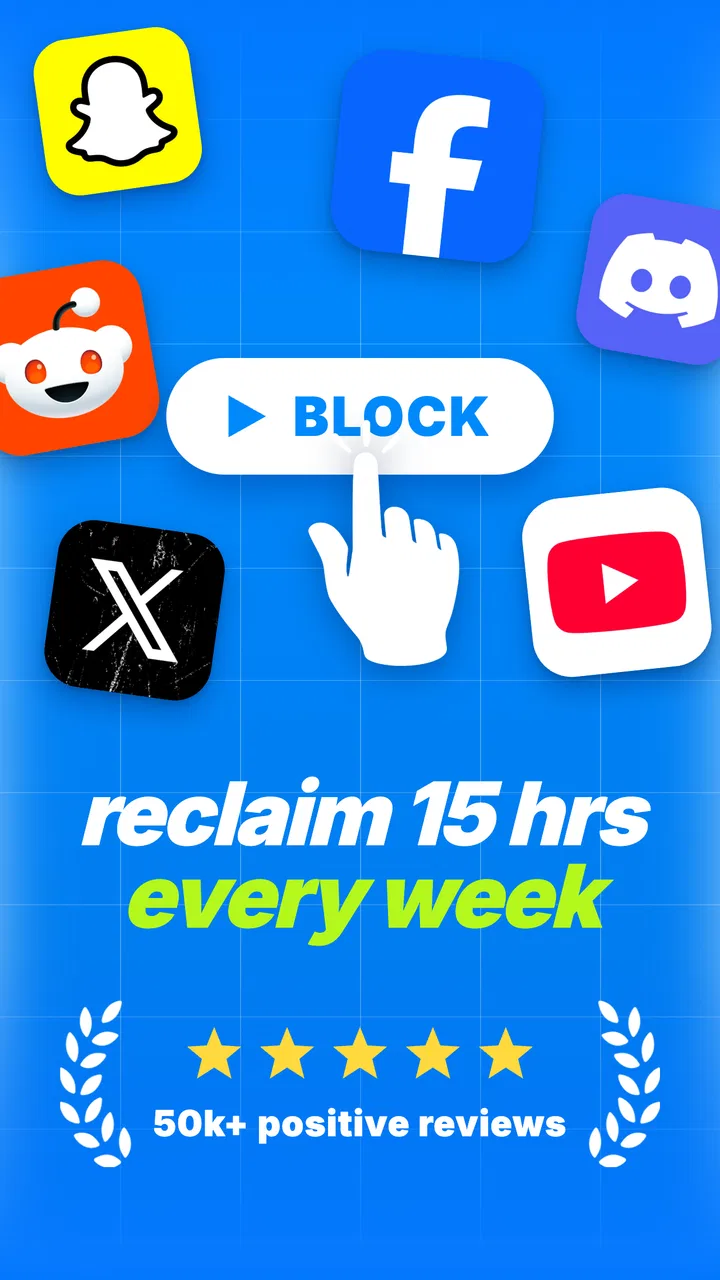
I installed BePresent because I wanted a more practical way to interrupt automatic phone use without turning productivity into another complicated project. It is a free productivity app from Screen Detox Inc, built around blocking apps, protecting focus, and adding rewards to the process. That combination sounds simple, but the real question is whether it can become part of a routine instead of serving as a short-lived burst of motivation.
My overall impression is positive. BePresent works best when I decide in advance what I am trying to do and use the app as a boundary around that decision. It is less convincing as a complete productivity system on its own. It will not organize every task, replace a calendar, or decide which distractions matter to me. What it can do is create a deliberate pause between reaching for a distracting app and opening it.
The app is available at no charge, with optional in-app purchases ranging from $9.99 to $59.99 per item. It is rated for Everyone, and its current version is 1.1.13. The combination of a 4.8 average from around 5.8 thousand ratings and more than 50 thousand installs suggests that the approach is connecting with a meaningful audience, although popularity alone does not guarantee that its blocking style will suit every phone habit.
You May Also Like

 AccuWeather: Weather Radar
AccuWeather Review: A Quick, Clear Forecast for Everyday Decisions
For everyday plans, the best forecast is the one you can understand quickly. AccuWeather makes rain timing, radar, and local conditions easy to act on, with a few trade-offs.

 Hill Climb Racing
Why Hill Climb Racing Still Turns Crashes Into One More Run
A tiny car, a bumpy hill and one more upgrade: Hill Climb Racing keeps resurfacing because its simple chaos makes every near-miss feel personal.

 AliExpress - Shopping App
AliExpress Makes Global Shopping Feel Personal, but Shoppers Bear the Risk
AliExpress turns a global marketplace into a pocket-sized discovery engine. Its reach is useful, its shopping loop compelling, and its trade-offs easy to miss.

 Lords Mobile: Kingdom Wars
Lords Mobile Is a Kingdom-Building Routine, Not a Quick Match
A case-by-case verdict on the building, battles, device demands, and social commitments that make Lords Mobile rewarding for some players and exhausting for others.

 PDF Scanner app - TapScanner
TapScanner Makes Paperwork Easier to Capture, Check, and Share
TapScanner makes scanning with a phone feel less like a rescue operation and more like a dependable step in getting work done. Its capture tools are useful, though not flawless.

 Block Blast!
 Shows How Much a Puzzle Game Can Leave Out
A quiet grid game shows why puzzle players increasingly value instant clarity, repeatable skill and low-pressure play—and where the genre still needs to catch up.
More From Our News Desk
View All News


Building a workflow before turning on the block
The most important lesson I took from using BePresent is that blocking works better after I make a small plan. If I simply activate a restriction whenever I feel guilty about scrolling, the app becomes a punishment. If I first choose a concrete activity, such as writing, reading, cooking, or spending time with family, the block has a clear purpose.
Before starting a session, I recommend deciding three things: what you are protecting, which apps are most likely to pull you away, and when you will deliberately check your phone again. That last point matters. A block feels much less frustrating when it has a defined end or a planned review point. Without that structure, I found myself thinking about the restriction instead of the work.
A realistic weekday example would be a person who arrives home intending to prepare dinner and talk with their family. Rather than trying to rely on willpower, they can set a short focus period that removes the most tempting social and entertainment apps from immediate reach. The phone still exists, but the most automatic route toward distraction has been interrupted. That small amount of friction can be enough to keep the original intention alive.
For desk work, I would use BePresent after writing the next visible action on paper. “Work on the report” is too vague; “draft the opening paragraph” gives the session somewhere to begin. The app cannot supply that clarity for me, so the quality of the result depends partly on the preparation around it.
The strongest use of BePresent is not forcing productivity; it is making an existing intention easier to follow. That distinction prevents disappointment. Someone looking for an app that automatically plans a day may prefer a dedicated task manager or calendar. Someone who already knows what they want to do but repeatedly gets pulled into their phone is much closer to the app’s ideal audience.
Choosing what belongs inside a focus session
I would avoid blocking everything at once. Some phone functions are genuinely useful during work: maps, two-factor authentication, a music player, a family contact, or a reference tool. If the restriction is too broad, the session creates unnecessary friction and encourages me to end it early.
A better approach is to start with the two or three apps that trigger the most unconscious checking. This makes the experiment easier to judge. If the session helps, I can expand it later. If it feels unbearable, I can identify whether the problem is the duration, the app selection, or the task itself instead of blaming the whole system.
This is also where BePresent differs from simply turning on a phone’s general focus mode. Built-in controls can be useful and are often convenient, but they may feel like a technical setting rather than a personal commitment. BePresent’s focus-and-reward framing gives the action more psychological weight. On the other hand, users who want highly granular device automation may find the operating system’s native tools more familiar or more flexible.
Using capture and organization without creating another inbox
BePresent should not become a place where I collect every unfinished thought. Its value is strongest when the decision to focus is connected to a small, understandable target. I like pairing a session with one note on paper or one existing task list entry, then using the app to protect the time needed to act on it.
For example, if I have several errands, I would not start a separate focus session for every item. I would group them into a realistic block, such as “leave the house, buy groceries, and return before lunch.” For study, I might define one chapter section or one set of exercises. This keeps the app from becoming a source of administrative work.
There is a useful trade-off here: the more carefully I define a session, the more meaningful the reward feels, but excessive preparation defeats the purpose. My practical rule is to spend less than a minute deciding the task and the distracting apps. If I need a long planning ritual, I am probably asking BePresent to solve an organization problem that belongs elsewhere.
The app’s short description, “BePresent,” captures this narrow focus well. It is not an all-in-one workspace. I would use a notes app, calendar, or task manager for capture and scheduling, then let BePresent handle the moment when I need to stay with the chosen activity.
Turning individual sessions into a repeatable routine
The reward element is most useful when it supports repetition rather than instant gratification. I found it more helpful to treat each completed session as evidence that the routine is possible, not as a reason to chase longer and longer blocks. A modest session that I can repeat is more valuable than an ambitious session that makes me avoid the app the next day.
A sustainable pattern might be one protected period in the morning, another during a predictable afternoon slump, and a screen-free transition before bed. The exact schedule should follow the person’s life. A parent, shift worker, student, and remote employee will not benefit from the same timing.
I would also keep the first routine deliberately easy. The goal is to learn which distractions actually interfere with my day. After several sessions, patterns become clearer: perhaps messaging is not the issue, but short-form video is; perhaps the real danger appears only when a difficult task begins. That information is more valuable than a generic promise to use the phone less.
One non-obvious advantage of this approach is that it separates trigger management from time management. If I repeatedly fail at the start of a task, I may not need a longer schedule; I may need stronger protection during the first few minutes. BePresent is particularly suited to that opening barrier, when an uncomfortable task makes every notification feel attractive.
The free entry point also makes it reasonable to test the routine before spending money. Optional purchases may appeal to users who want a deeper or longer-term commitment, but I would first establish whether the basic behavior fits my day. Paying for a system that I have not yet used consistently would only add pressure.
Where the experience can fail
No blocking app can remove every form of avoidance. I can still pick up the phone, change my environment, or switch to a browser if my real problem is fatigue, anxiety, or an unclear task. BePresent reduces one route to distraction; it does not address the reason I wanted to escape in the first place.
That limitation is important for people whose work depends on rapid communication. If I need to monitor messages continuously, blocking social or communication apps may create more stress than focus. In that situation, a scheduled notification filter, a separate work device, or a simple status message may be a better solution.
There is also a risk of overblocking. If I include harmless tools along with distracting ones, I may spend the session looking for workarounds. The best setup is selective, not absolute. I would review the blocked list after a few days and remove anything that creates needless inconvenience.
Rewards can fail too. Some users will find them motivating, while others may feel that a basic act of concentration has been turned into a game. I appreciate the encouragement, but I would not build my entire motivation around it. The lasting benefit should be the work completed, the conversation enjoyed, or the evening recovered—not merely the reward screen.
Another practical friction is emotional: ending a session can feel like admitting defeat if the task is unfinished. I found it healthier to treat the end as a checkpoint. If the task still matters, I can start another deliberate period. If it does not, that is useful information. A focus block should not trap me in a poor plan.
How it compares with familiar alternatives
Compared with a basic timer, BePresent adds a stronger connection between time protection, app blocking, and reinforcement. A timer tells me how long to work, but it does not necessarily interrupt the habit of opening a distracting app. A timer may be enough for someone with strong self-control, while BePresent is more appealing when the problem is automatic phone checking.
Compared with native digital wellbeing controls, BePresent feels more focused on the act of choosing presence. Built-in tools can be excellent for broad limits and device-level awareness, especially when I want a set-and-forget restriction. BePresent makes more sense when I want intentional sessions rather than only a daily usage ceiling.
Compared with a full productivity suite, it is narrower and easier to understand. Task managers are better for projects, dependencies, deadlines, and recurring responsibilities. BePresent is better placed at the execution stage, when the task is already known and the phone is threatening to pull attention away.
That narrowness is both its strength and its boundary. I would not replace a calendar or task list with it. I would place it beside those tools, using the calendar to decide when focused time should happen, the task list to decide what deserves attention, and BePresent to protect the selected period.
Who should adopt it and who should skip it
I would recommend BePresent to students who lose study time to habitual checking, remote workers who struggle with an always-available phone, and anyone trying to create a calmer transition between work and personal life. It is also useful for people who have already tried “just use more willpower” and know that approach is unreliable.
It may suit families who want a clearer phone boundary during meals or conversations, provided everyone agrees on the purpose rather than treating the block as a punishment. The Everyone age rating makes the app approachable for a broad audience, though the right setup still depends on the user’s responsibilities and need for communication.
I would skip it if I need an advanced project manager, detailed habit analytics, or constant access to every communication channel. I would also hesitate if my main difficulty is a lack of sleep, overwhelming workload, or emotional distress. A blocker can support healthier behavior, but it cannot substitute for rest, realistic commitments, or professional help when those are the real issues.
People who frequently need emergency access to their phone should begin with a very limited blocked selection and a short session. People working in deep creative tasks may prefer longer periods, but they should still preserve essential tools. The right configuration is personal, and the app is more useful when I adjust it based on actual friction rather than copying someone else’s routine.
My recommendation after using BePresent
BePresent is a focused productivity app with a sensible role in a larger system. Screen Detox Inc has kept the central idea easy to grasp: protect attention by blocking selected apps, then make the successful behavior feel rewarding. I like that it does not require me to redesign my entire life before I can try it.
Its current version, 1.1.13, runs on devices using Android 8.0 or later. The free starting point lowers the risk of experimenting, while the optional purchases mean that users should decide for themselves whether a longer commitment is justified after they understand their habits.
My advice is to begin with one recurring situation, not an all-day phone ban. Choose a task, block only the apps that genuinely derail it, and decide in advance what you will do when the session ends. After a week, keep the routine that made a visible difference and discard the rest.
BePresent is worth trying when your problem is the gap between wanting to focus and automatically opening the phone. It is not a magic cure, and it is not a replacement for planning. Used alongside a simple task list and a realistic schedule, though, it can turn a vague intention into a repeatable boundary. That makes it a useful choice for people who want less reactive screen time without adopting an elaborate productivity method.
FAQs for BePresent
01What is BePresent and what can I use it for?
BePresent is designed to help users become more mindful of how they spend time on their phones and digital devices. It generally encourages intentional usage by showing your screen-time habits, setting limits, and creating reminders to put the phone away. Depending on the version available on Android or iOS, it may also include focus tools, progress tracking, or gentle prompts that support healthier daily routines.
02Does BePresent block apps or limit screen time automatically?
BePresent may offer tools for reducing distractions, but its exact behavior depends on the platform and the permissions you grant. Some features can remind you to take a break, while others may restrict access to selected apps or activate a focus session. Before downloading, check the current store description because iOS and Android versions can differ in available controls and background activity.
03What permissions does BePresent require, and is my data private?
A mindfulness or screen-time app may request access to usage statistics, notifications, focus settings, or activity data so it can provide accurate reminders and reports. These permissions are important for the core experience, but you should review them carefully during setup. Also read BePresent’s privacy policy to understand whether information is stored locally, synchronized online, shared with third parties, or used for analytics.
04Is BePresent free to download, or does it require a subscription?
BePresent may be available as a free download with optional paid features, although pricing, trials, and included tools can change over time. Before confirming an in-app purchase, review the subscription screen carefully for the billing period, renewal terms, and cancellation process. If a free trial is offered, remember that it may automatically convert into a paid subscription unless canceled before it ends.
05Will BePresent work on my Android or iPhone without affecting battery life?
BePresent should work on supported recent versions of Android and iOS, but compatibility can vary by device, operating-system version, and region. Because the app may monitor usage or deliver scheduled reminders, it could have a small effect on battery consumption, especially when background permissions are enabled. If battery impact becomes noticeable, review notification, refresh, and monitoring settings without disabling essential features.
Pros
- Simple interface makes daily check-ins quick and easy.
- Helpful reminders encourage more consistent mindful breaks.
- Supports reflection on how present you feel throughout the day.
- Lightweight design should work smoothly on most modern phones.
- Useful for building awareness of distractions and personal habits.
Cons
- Benefits depend heavily on using the app consistently.
- Limited value for users seeking detailed meditation instruction.
- Frequent reminders may feel intrusive if not customized.
- Some features may require permissions or in-app purchases.
- Progress tracking may feel too basic for advanced mindfulness users.

BePresent
Gallery